
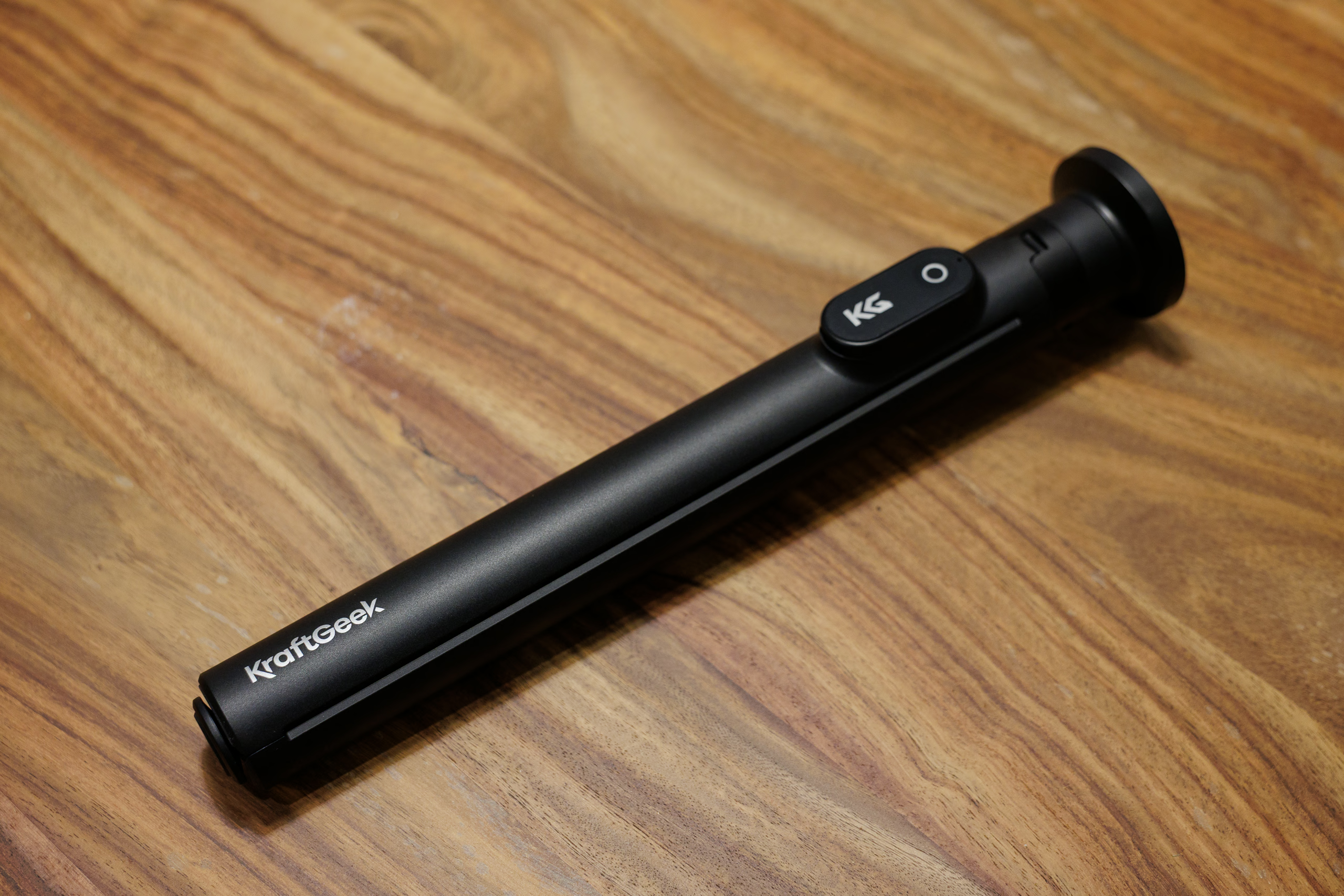
KraftGeek reached out earlier this summer to see if I would be interested in reviewing their JustTap Magnetic Phone Tripod. They offered to send a unit at no cost and offered an affiliate-link arrangement. For those out of the loop, affiliate links are simple: if a reader follows the link to buy the product, the reviewer (me) receives a percentage of the sale. It’s a common model and usually how review sites keep the servers humming.
What Is It?
The JustTap Magnetic is a selfie-stick tripod with a MagSafe-compatible mount and a tap-to-deploy leg mechanism. It extends from 33 cm to 167 cm and includes a small Bluetooth remote that docks magnetically into one of the legs. KraftGeek’s marketing positions it as a fast-to-setup, do-everything phone support for casual shooting, vlogging, and travel.
Design and Build Quality
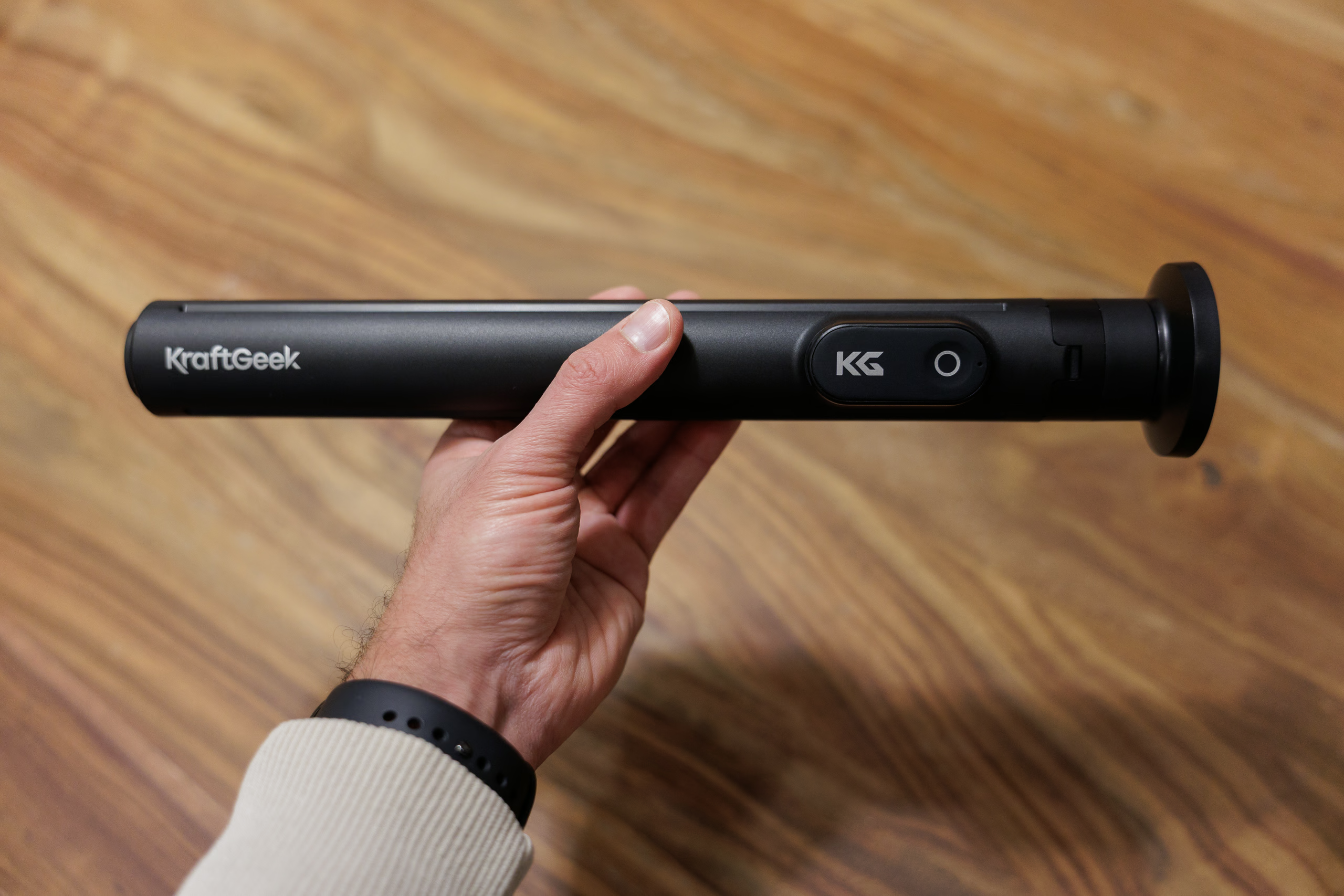
When fully collapsed, the JustTap feels solid and cleanly assembled. It has a consistent shape that’s roughly 3.8 cm thick, interrupted only by the flared MagSafe mount and the Bluetooth remote’s slot. Nothing rattles or shifts when handled, and the remote stays put until you intentionally pull it free.
The remote is straightforward: one concave button on the soft-touch rubber surface, a small LED, and (thankfully) USB‑C charging. Once paired, it simply triggers the phone’s volume button, which activates the shutter. No issues there, but the remote must first be turned on with a single long press.
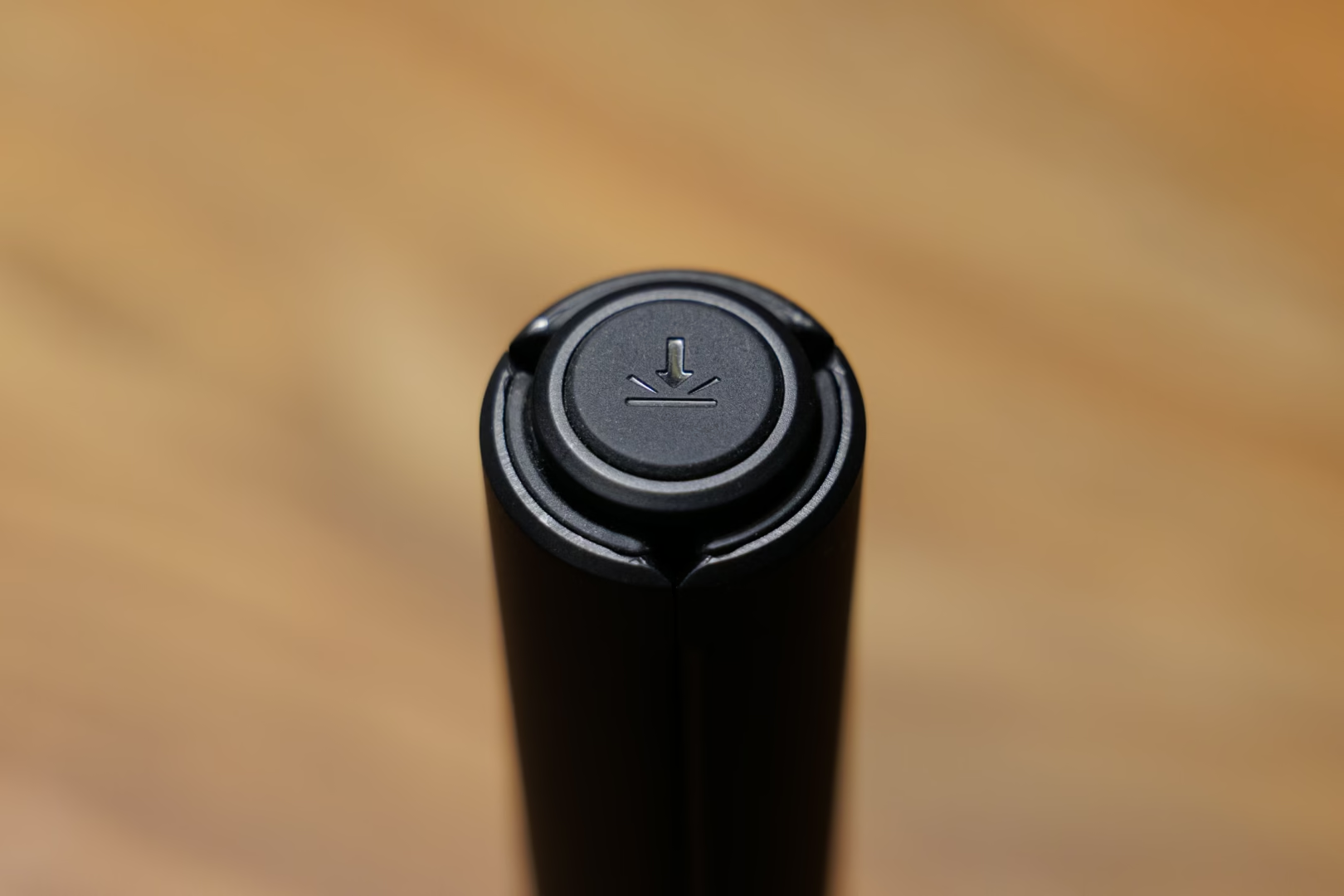
The legs are plastic with a smooth satin finish. The silicone pads at the ends grip adequately on flat surfaces, but I wish they were thicker. The tap-to-open button is rubberised with an icon that looks like an arrow conducting an act of war against the floor.
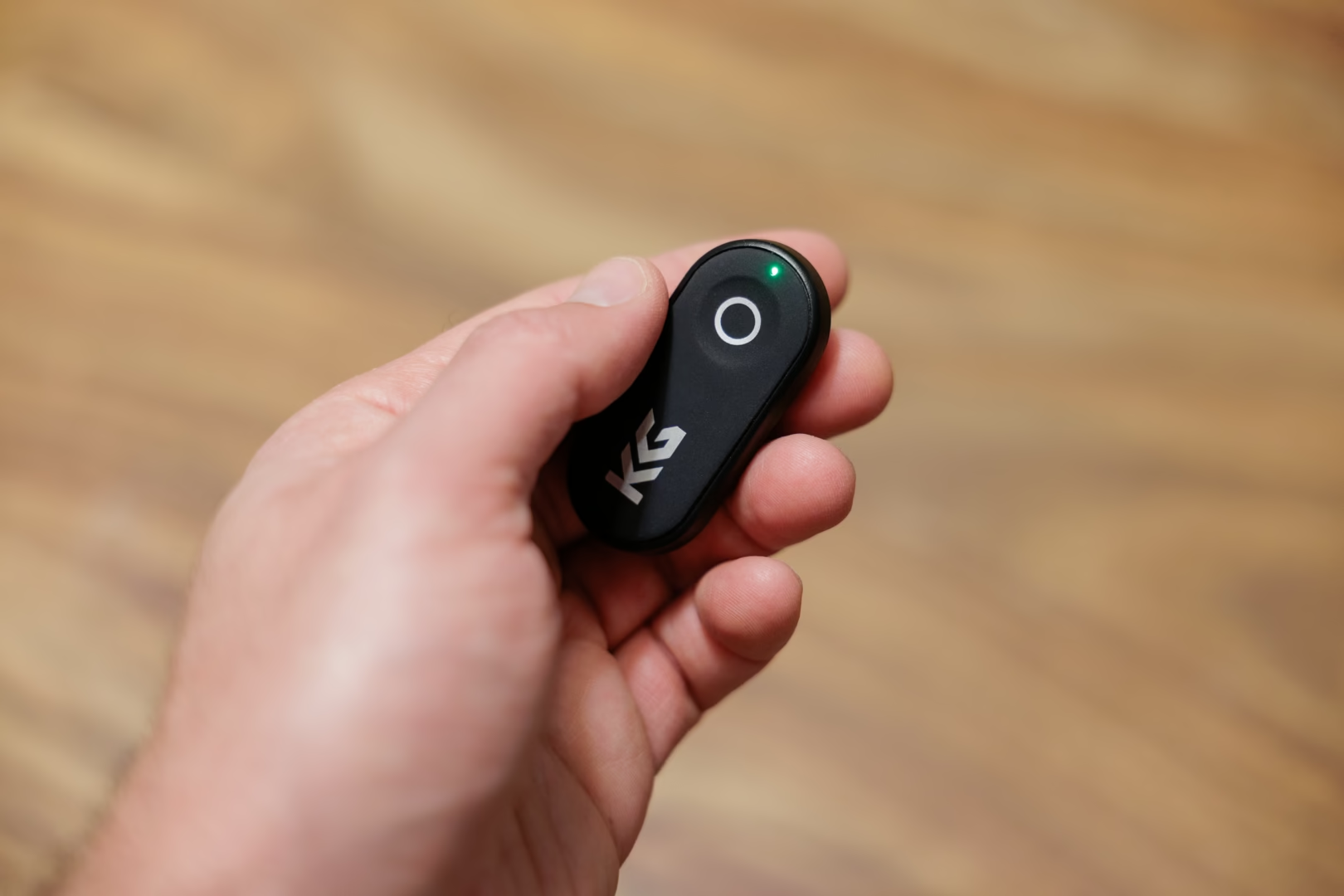
The telescoping pole consists of ten aluminium segments with a fine satin texture that resists fingerprints. The included instructions warn you not to touch the segments, though after months of use, I’ve yet to find a reason for the warning. The segments have remained smooth, and I haven’t experienced pinching or debris issues. The two joints at the top of the pole offer 180 degrees of rotation along the same axis. They feel on the stiff side, which makes precise adjustments difficult.
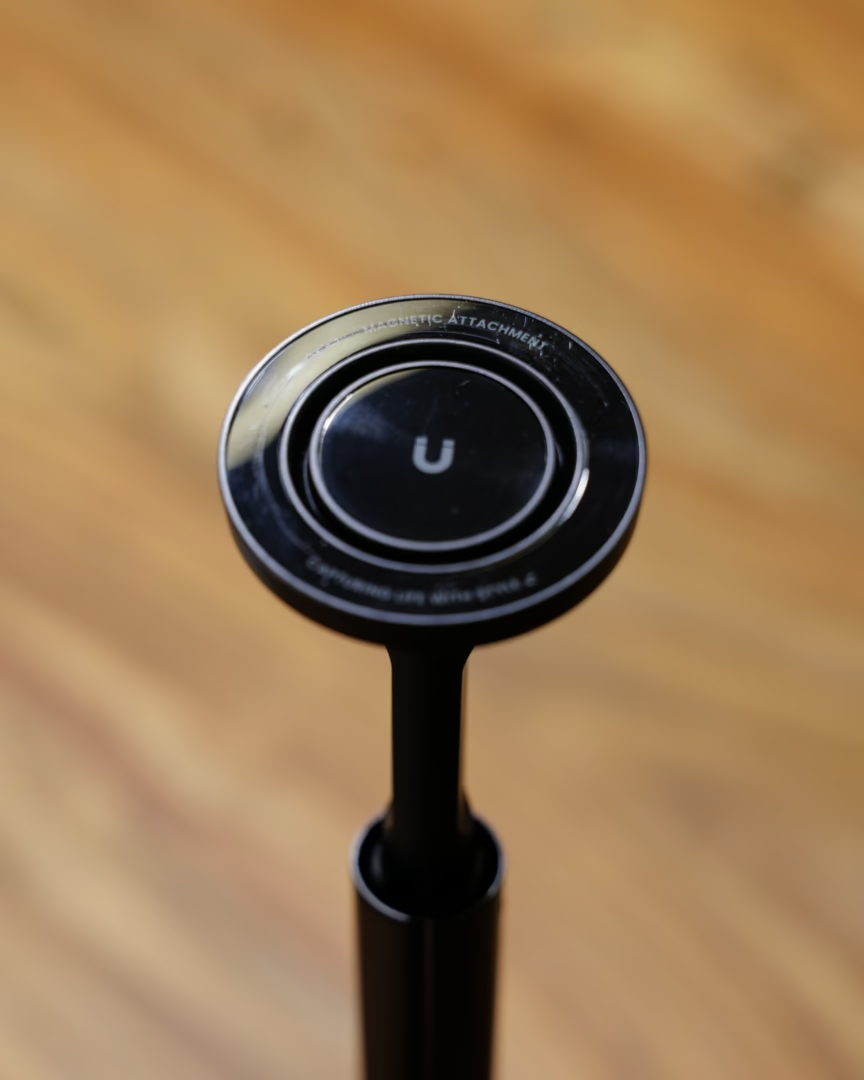
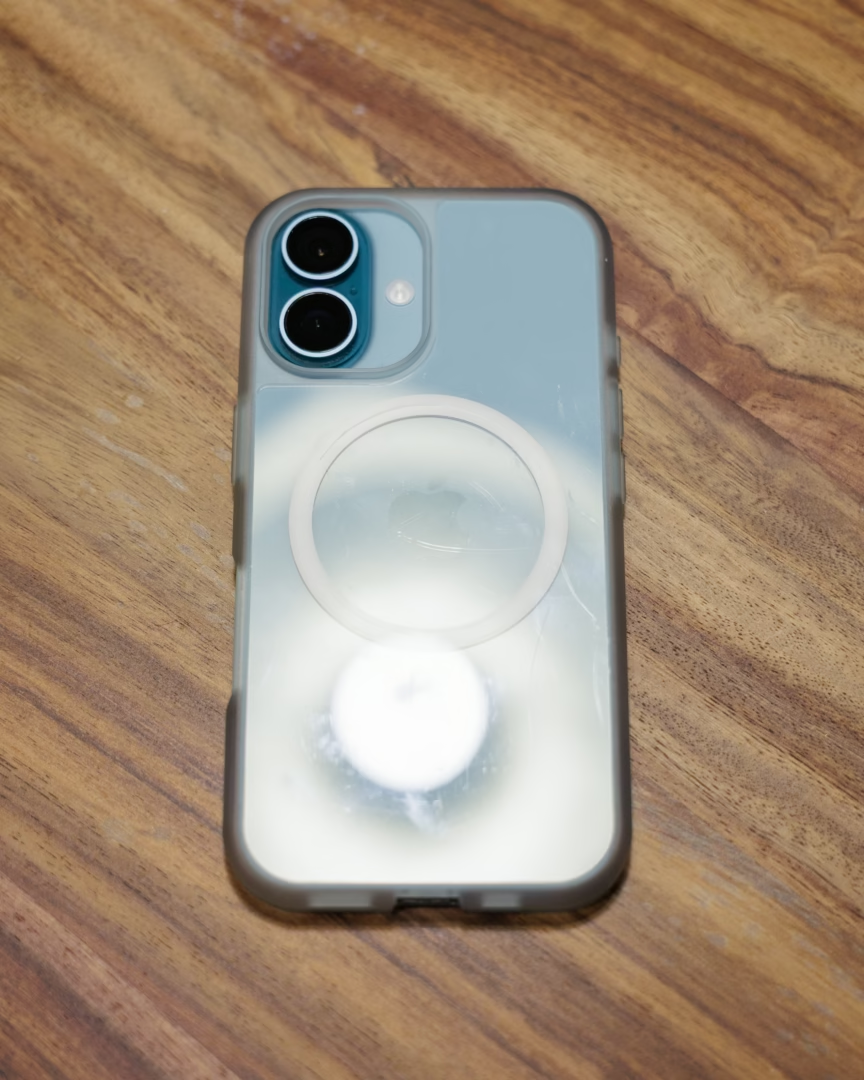
The MagSafe-style mount is reassuringly strong. The phone never slipped, even when rotated, inverted, or extended fully on the pole and given a shake. This strength is also a curse thanks to friction. Because rotation isn’t handled by a joint, you have to twist the phone against the mount surface. With a grippy case, this leads to noticeable stiction, and if even a tiny abrasive particle gets trapped between the mount and your phone, it will etch a visible arc into both surfaces. Ask me how I know.
Usability and Handling
The tap-to-open legs deploy quickly. Too quickly, if I were being honest. In practice, it’s alarmingly abrupt, and always louder than expected. On a desk—KraftGeek’s says it’s a tabletop tripod, too—those legs can send items flying. The mechanism works as advertised; it’s just not subtle.
The telescoping pole extends in one smooth pull, which is genuinely convenient. If you need fast deployment, it delivers.
Unfortunately, stability is its weakest point. Fully extended, the tripod is extremely wobbly. On flat floors, the phone can take ten seconds or more to settle after even minor movement. On uneven ground, the narrow leg spread becomes an obvious limitation. Grass, soft soil, or angled surfaces make the setup even less reliable. This is structural rather than a defect—long multi-segment poles simply aren’t stable, especially without wide-set legs.
Shorter heights are more usable, and modern phone stabilisation hides a lot of motion; however, this is not a tripod I’d trust for low-light exposures or telephoto shooting. Using the Bluetooth remote or a timer helps avoid adding shake when triggering the shutter.
Thus far, the durability of the JustTap has been fine. The pole segments haven’t loosened, and the legs themselves feel sturdy enough, though the internal struts sound a bit loose when the legs snap open.
The Chinese Twin
One of my first reactions after testing the JustTap was that it might actually be useful for my mom. She often livestreams her participation at dog shows and used to struggle using all kinds of crappy discount phone holders. During one visit, I brought the KraftGeek JustTap to show her, only to discover she already owned a near-identical model from a Chinese brand called TONEOF. Her version features the same tap-to-open mechanism, same Bluetooth remote, same leg design, same icon on the button, and same overall layout. The only real difference is that hers uses a spring clamp instead of a MagSafe-style mount.
She bought her TONEOF 66” Automatic Tripod on Amazon for $30. The KraftGeek version is $72 (before discounts). To be clear, I can’t say whether KraftGeek sources its design from the same factory, but it’s hard to ignore that everything below the mount is identical. My mom is perfectly happy with her version, which says a lot about the expectations of casual users.
Conclusion
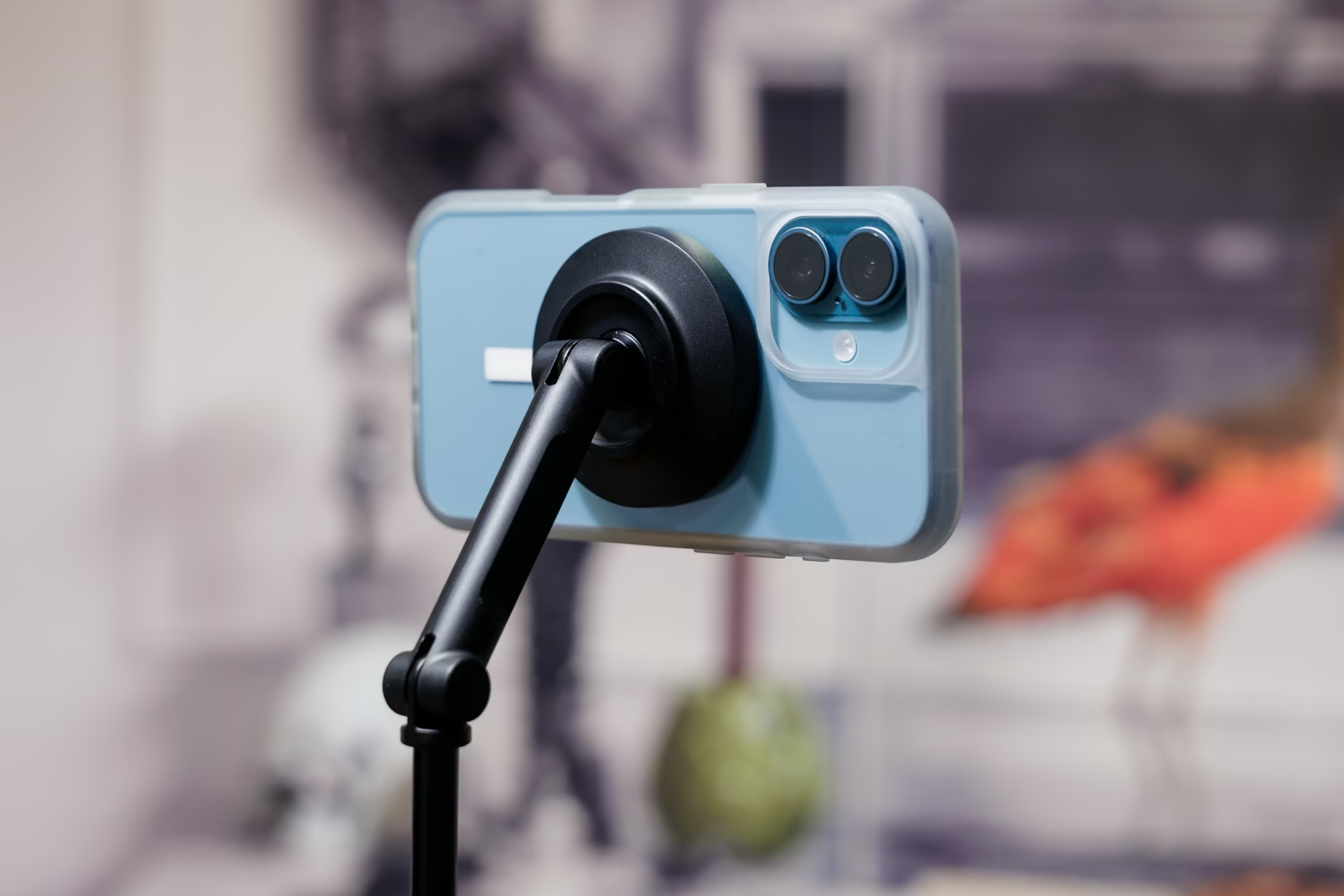
The KraftGeek JustTap Magnetic Phone Tripod gets a few things right: the remote is reliable and conveniently stored, the collapsed build feels solid, and the quick-deploy mechanism works as advertised; the magnetic mount golds phones securely and makes setup relatively faster than using a clamp-style alternative, though the absolute time difference is small, although it might be enough for some users to justify the premium.
Unfortunately, the drawbacks are significant. Stability at full extension is very poor, the joints are stiff, the mount can scratch your phone if debris gets between surfaces (again: ask me how I know!), and the pricing becomes harder to defend once you notice that identical non-magnetic mount variants sell for less than half the price.
It’s not the right fit for how I shoot, but there’s clearly an audience for this style of tripod, especially at the lower price tier. If you want the convenience of a MagSafe-compatible mount and don’t mind the higher price, you can find the official product page here (For 15% off, use discount code XPSRTHRPY).